skPackets 17 days, 1 hour and 3 minutes ago
skPacketsA drop-in alternative to PacketEventsSK for Skript.Create client-side entities, send packets, and change what individual players see without modifying the server-side world or inventory.


Features- Packets: Create and send clientbound packets, including camera and entity status packets.
- Packet entities: Spawn client-side players, dropped items, and other entities for selected viewers.
- Equipment: Show different equipment on real or fake entities without changing their actual items.
- Blocks: Change the appearance of blocks for individual players without editing the world.
- Inventory: Display fake items in slots, including the crafting grid and result slot.
- Teams: Manage packet team membership and colors.
- Persistence: Reapply supported visual changes after client or server updates.
Packet-based changes are visual. They do not create real items, modify blocks, or apply gameplay effects. Implement any required server-side behavior separately.Requirements- Paper - 1.21.11+ (Required)
- Skript - 2.17.0+ (Required)
- PacketEvents - 2.14.0+ (Required)
- SkBee - 3.26.0+ (Optional; enables the NBT Compound hook)
Only the latest supported Skript and Minecraft versions receive support. Older versions may work, but are not officially supported.
ShowcasesThese examples demonstrate skPackets in-game. Each showcase includes a preview and a Skript example in a spoiler.
Reduced F3 InformationUse
/reduced-debug to toggle the vanilla reduced-debug view, which hides coordinates from the F3 screen. Run the command again to restore the normal view.
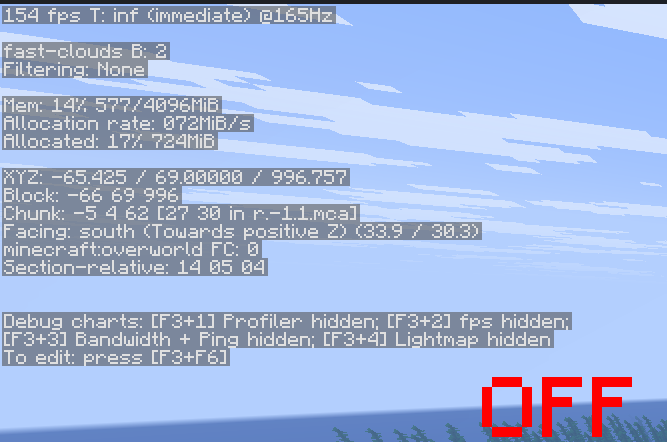
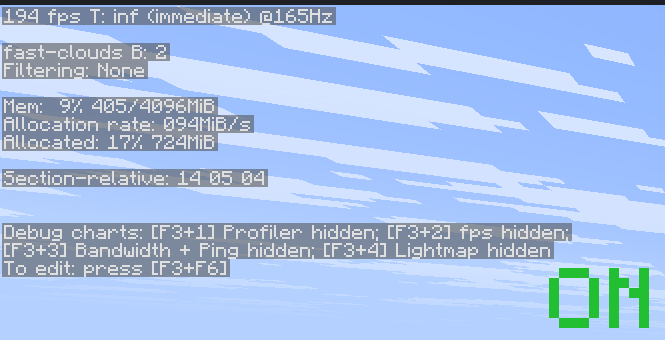 Normal F3 (left) and reduced F3 (right)
command /reduced-debug:
trigger:
set {_uuid} to uuid of player
if {-showcase::reducedDebug::%{_uuid}%} is true:
delete {-showcase::reducedDebug::%{_uuid}%}
set {_status} to 23
send "Reduced debug information disabled." to player
else:
set {-showcase::reducedDebug::%{_uuid}%} to true
set {_status} to 22
send "Reduced debug information enabled. Open F3!" to player
set {_packet} to a new clientbound entity status packet:
entity id: protocol id of player
status: {_status}
send packet {_packet} to player
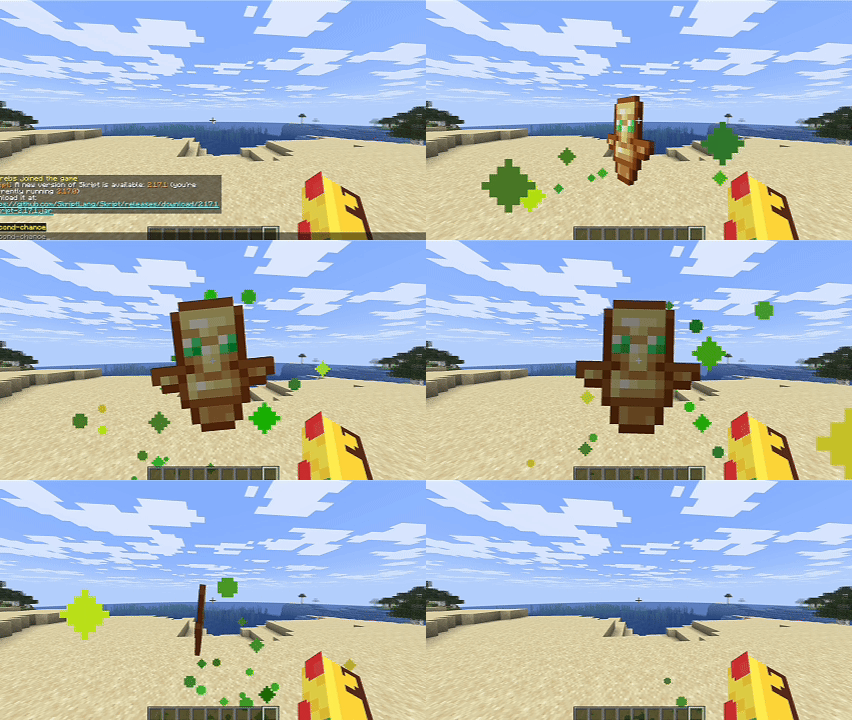
Totem PopRun
/second-chance to play the totem animation without consuming a totem or taking damage. It does not grant resurrection or potion effects.
command /second-chance:
trigger:
set {_packet} to a new clientbound entity status packet:
entity id: protocol id of player
status: 35
send packet {_packet} to player
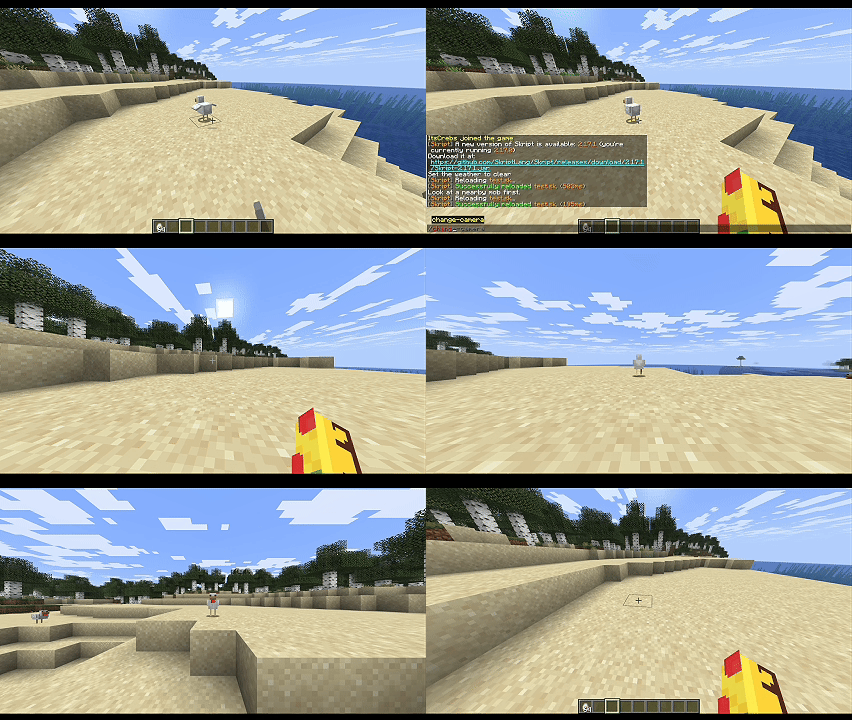
Camera PacketLook at a nearby entity and run
/change-camera to switch your camera to it for five seconds. The entity must remain visible to your client.
command /change-camera:
trigger:
set {_target} to target entity of player
if {_target} is not set:
send "Look at a nearby mob first." to player
stop
set {_camera} to a new clientbound camera packet:
entity id: protocol id of {_target}
send packet {_camera} to player
wait 5 seconds
set {_reset} to a new clientbound camera packet:
entity id: protocol id of player
send packet {_reset} to player
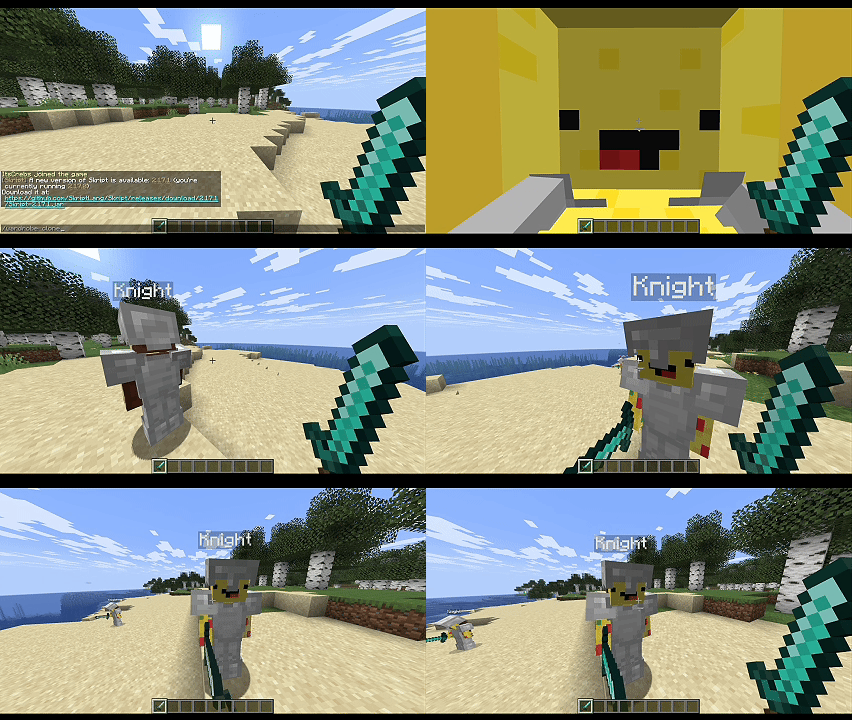
Wardrobe CloneRun
/wardrobe-clone to create a fake player using your skin and currently equipped items. The equipment also appears when the fake entity is shown to new viewers.
command /wardrobe-clone:
trigger:
set {_clone} to a new fake entity:
entity: player
username: "Clone"
skin: skin of player
location: location of player
viewers: player
set fake equipment helmet slot of {_clone} to player's helmet
set fake equipment chestplate slot of {_clone} to player's chestplate
set fake equipment leggings slot of {_clone} to player's leggings
set fake equipment boots slot of {_clone} to player's boots
set fake equipment main hand of {_clone} to player's held item
wait 20 seconds
kill fake entity {_clone}
To clear an equipment slot, use
delete fake equipment helmet slot of {_clone}.
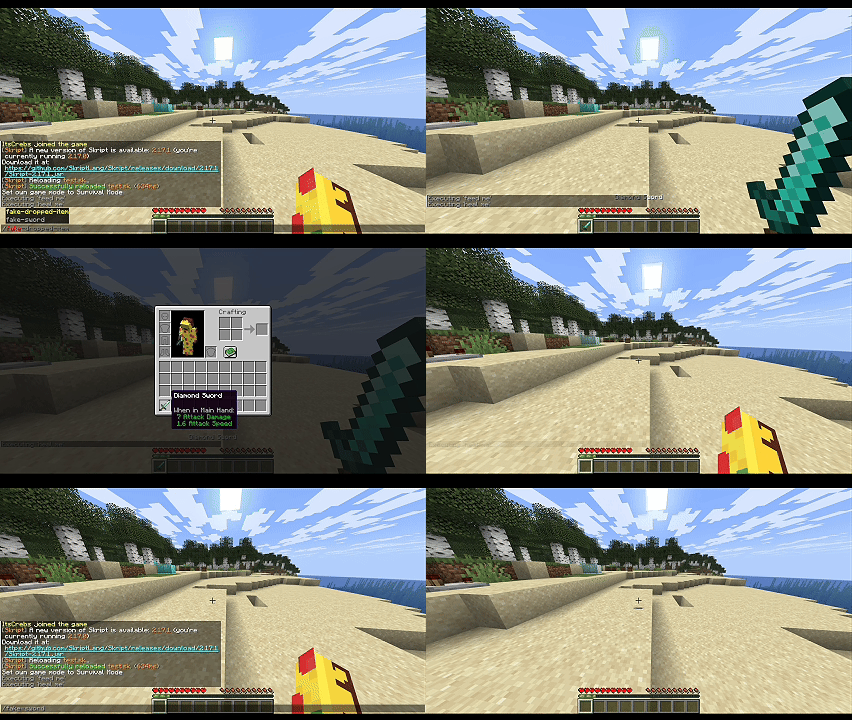
Fake EquipmentRun
/fake-sword to make other players see you holding a diamond sword without changing your actual inventory.
command /fake-sword:
trigger:
make fake equipment main hand of player as diamond sword to all players with persistent
wait 10 seconds
reset fake equipment main hand of player for all players
with persistent reapplies the override after equipment and tracking updates. Without it, the change is sent once. This does not change your first-person item or inventory screen.
Restore all equipment for selected viewers with
reset all fake equipment of player for all players.
Resetting removes persistent overrides and shows the entity's current real equipment.
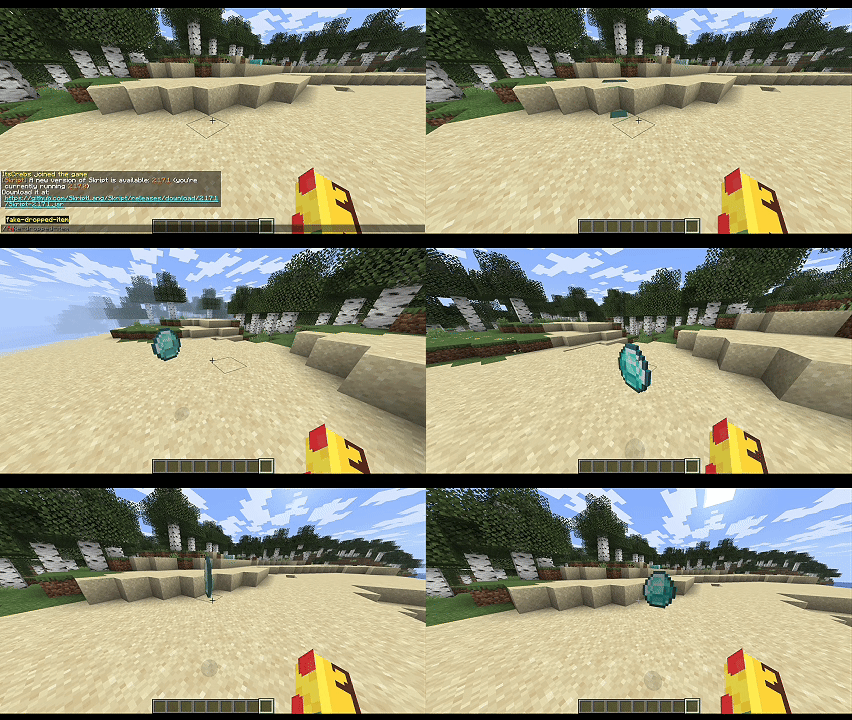
Fake Dropped ItemRun
/fake-dropped-item to display a diamond that only you can see. It is a packet entity, so it cannot be picked up.
command /fake-dropped-item:
trigger:
set {_spot} to location of player
set {_loot} to a new fake entity with persistent:
entity: dropped item
location: {_spot}~vector(0,2,0)
viewers: player
meta field:
item: diamond
gravity: false
wait 20 seconds
kill fake entity {_loot}
The persistent fake entity can be restored after supported updates and reconnects while it is still active. This example removes it after 20 seconds.
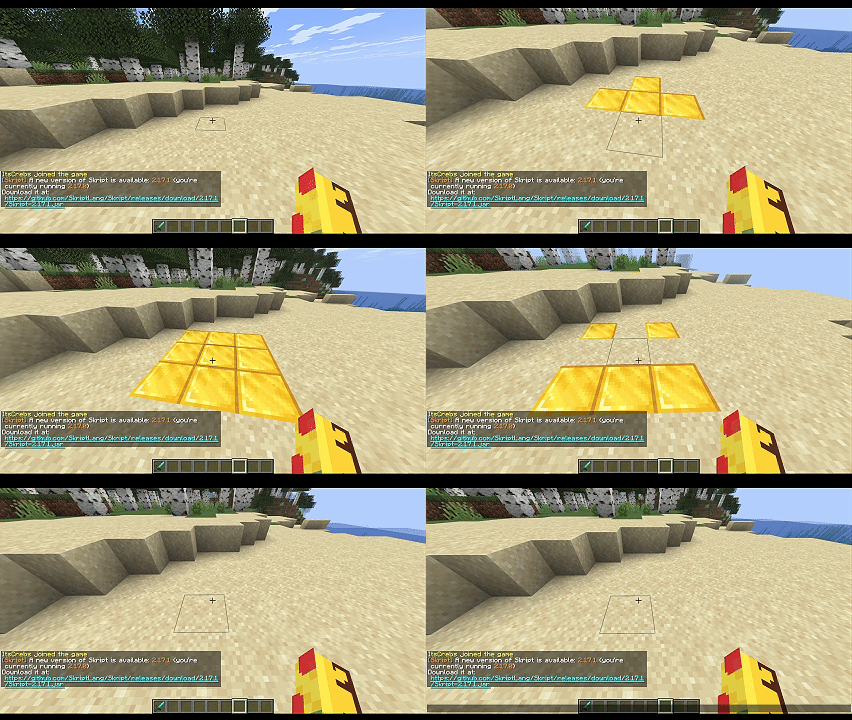
Fake BlocksRight-click a block to make it appear as gold for five seconds. Only you see the change; the real block is untouched.
on right click:
if clicked block isn't air:
set {_loc} to location of clicked block
make fake blocks at {_loc} as gold block to player with persistent
wait 5 seconds
reset fake blocks at {_loc} for player
Persistent block overrides can survive block updates and reconnects during the current server session, until they are reset or cleared.
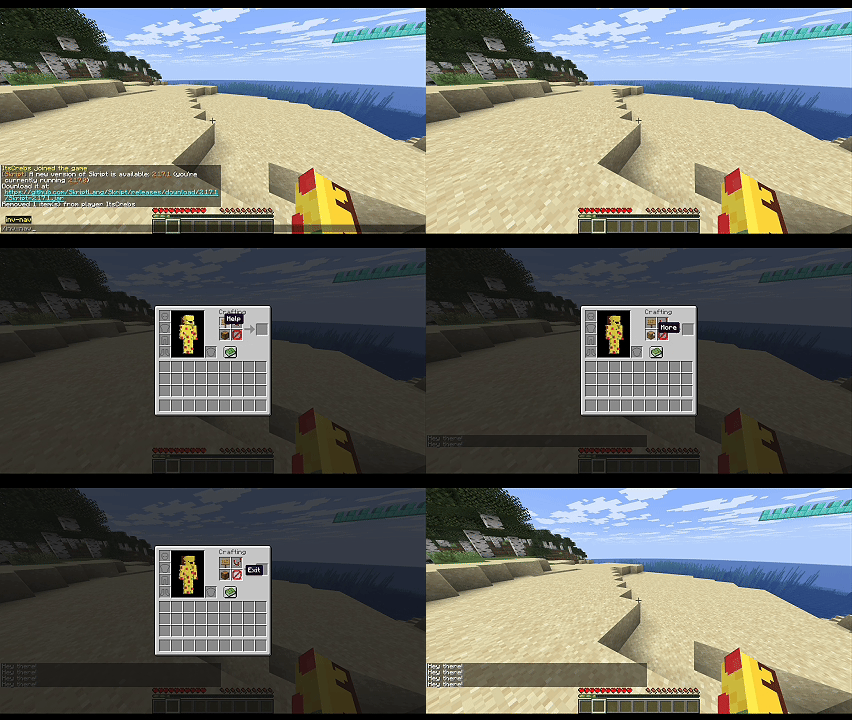
Inventory NavigationRun
/inv-nav to display a simple navigation menu in your own crafting grid. These are fake inventory items, not changes to your real inventory.
command /inv-nav:
trigger:
if gamemode of player is creative:
send "Use survival or adventure to preview this." to player
stop
close player's inventory
make fake inventory slot 1 as oak sign named "&fHelp" to player with persistent
make fake inventory slot 2 as comparator named "&fSettings" to player with persistent
make fake inventory slot 3 as chest named "&fMore" to player with persistent
make fake inventory slot 4 as barrier named "&fExit" to player with persistent
on inventory click:
if event-inventory is top inventory of player:
send "Hey there!" to player
The persistent version reapplies the appearance after supported inventory updates and clicks. It does not protect the real inventory or spoof the cursor. See the
Player Inventory Slots section below.
Restore individual raw slots or clear all fake inventory overrides:
reset fake inventory slots 1, 2, 3 and 4 for player
reset all fake inventory for player
These restore the current real items, including empty slots, and remove persistence. Individual slots refer to the current open inventory view.
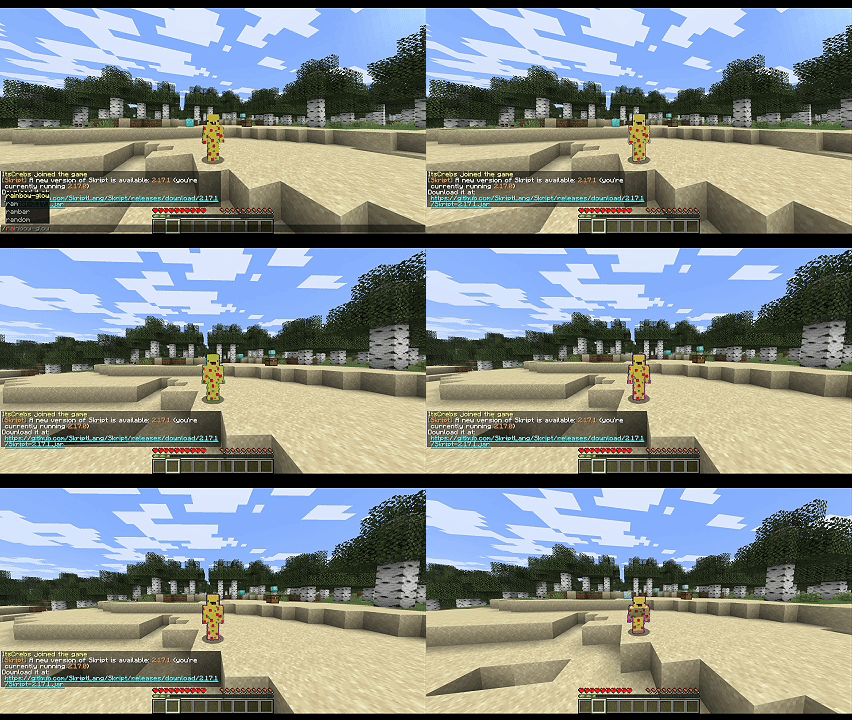
Rainbow GlowUse packet teams to cycle through the supported team colors while applying the glowing effect. Team colors accept Skript colors without quotes; custom RGB colors map to the nearest supported color.
command /rainbow-glow:
trigger:
set packet glow state of player to true for player
set {_team} to a new packet team:
name: "Rainbow"
add player to packet team {_team}
loop all colors:
set packet team color of {_team} to loop-value
send packet {_team} to player
wait 5 ticks
send packet {_team} to player
wait 5 seconds
remove player from the packet team {_team}
set packet glow state of player to false for player
send packet {_team} to player
PersistencePersistence is opt-in. Add
with persistent to a supported syntax to reapply a client-side override when relevant updates occur. Omit it for a one-time appearance.
- Inventory slots: Player inventory: until disconnect. Container inventory: until the container closes.
- Equipment: Until the viewer disconnects or the target unloads, dies, disconnects, or changes worlds.
- Fake blocks: Survive block updates and reconnects during the server session, until reset or cleared.
- Fake entities: Enable on creation with a new fake entity with persistent:.
Reapplying an inventory or equipment override
without with persistent replaces the persistent override with a one-time appearance.
Note:Persistence is not permanent storage. Overrides are not saved across server restarts.Player Inventory SlotsThe fake inventory slot syntax uses
raw slot indices.
- 0: Crafting result
- 1–4: 2×2 crafting grid
- 5–8: Armor: helmet, chestplate, leggings, boots
- 9–35: Main inventory
- 36–44: Hotbar
- 45: Offhand
Container menus have their own raw slot layout, starting at
0 in the top inventory. Wait one tick after opening a container before sending fake slot contents. Creative mode has different item-creation behavior, so fake slots must not be used as an inventory protection mechanism.
CreditsskPackets includes code adapted from
PacketEventsSK by
3add. The original MIT copyright and license notices are preserved in the relevant source files.
View Update